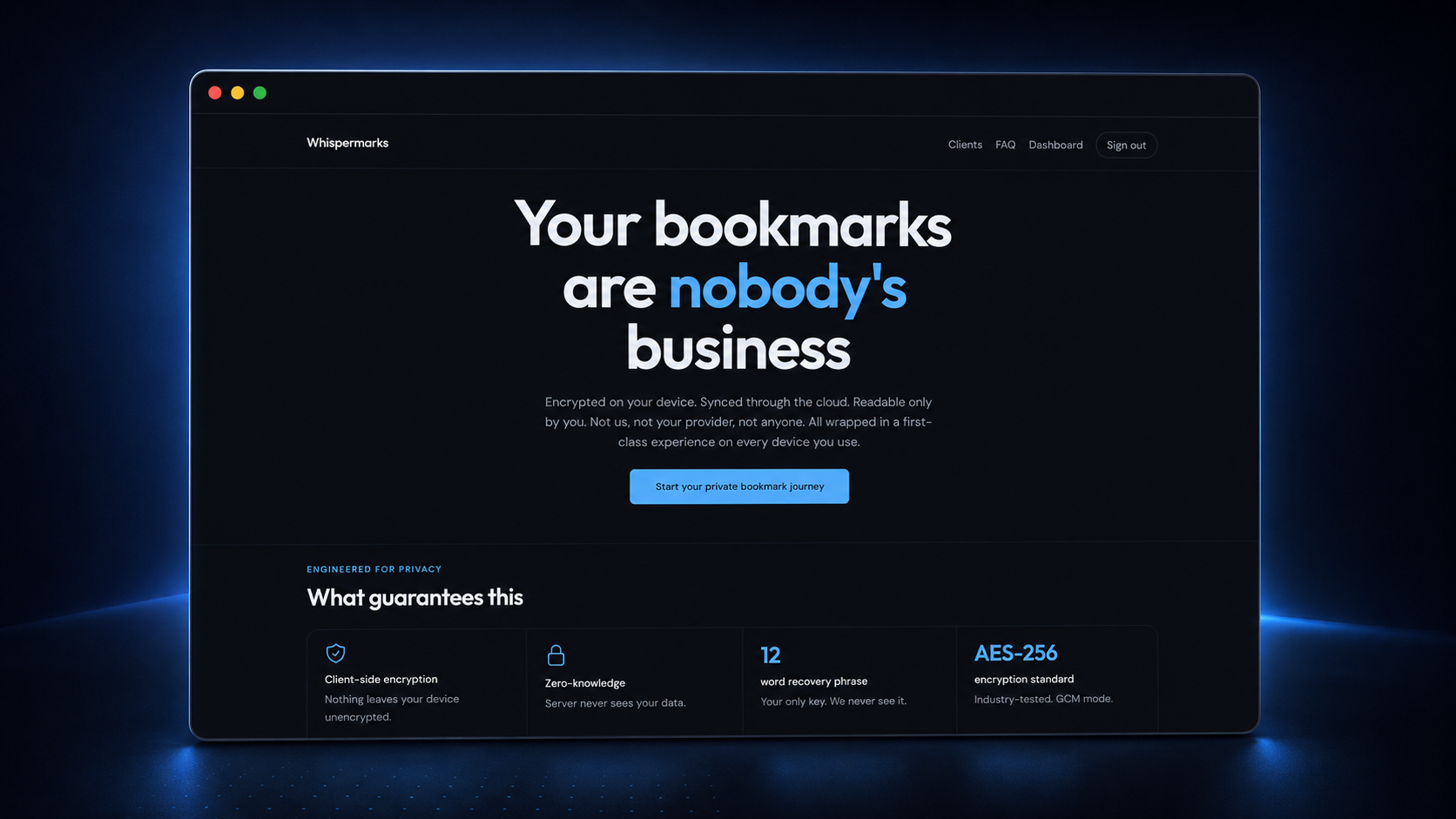
Whispermarks is a new project, but the idea behind it is old. Around 15 years ago, I built InBrowser, a privacy-first browser for Android that, for its time, became one of the biggest private browsers on mobile. That’s where this problem first showed up for me.
The point of InBrowser was that it forgot. Close the app and your session was gone – history, cookies, everything. That was the product, way before incognito even existed on mobile. And there was just one problem. People wanted bookmarks.
The bookmark problem
Bookmarks are slightly awkward in a browser designed to forget everything. A normal bookmark is persistent by definition. You save a URL because you want it to be there tomorrow. That makes perfect sense in most browsers, but it never really fitted the privacy model I wanted for InBrowser.
Bookmarks were also one of the most requested features, and I wanted them too. The easy answer would have been to bolt on a normal bookmark database, but that always felt wrong. If I was going to save something permanently in a privacy-focused product, the privacy part had to come first.
That’s more or less where the idea for Whispermarks came from – a private place for bookmarks that wasn’t tied to the browser itself. I always thought I’d build it eventually. I just didn’t.
Same itch, better timing
I didn’t build it back then because I didn’t think I could build it well enough. Saving a URL is trivial. Building something where the service itself can’t read what you’ve saved is a very different problem. Keys, syncing and recovery all become part of the product.
If I was going to build it, privacy had to be the foundation – not an option somewhere in settings.
A lot has changed since then. Whatever you think about crypto, it has made concepts like recovery phrases, private keys and self-custody much more familiar. Fifteen years ago, asking a normal user to safely keep a sequence of recovery words would have been quite an interesting product decision. Today, the pattern isn’t nearly as strange.
The tooling around cryptography is also much better now. The idea hadn’t really changed, but building the version I actually wanted finally felt realistic as a solo developer.
Starting with the privacy model
When I came back to the idea, the first question wasn’t what the bookmark interface should look like. It was what the server should be able to see. The answer was – as little as possible.
Whispermarks encrypts the vault data locally before it leaves the device. The cloud stores the encrypted data, not the readable contents. The server gets encrypted blobs instead of your actual bookmarks.
The cryptography is based around AES-256-GCM, with each vault having its own encryption key. Access to those keys comes from a recovery phrase held by the user. If you’ve used crypto wallets, the shape of that will feel familiar – just applied to bookmarks instead of money.
That also means a vault is more than a folder. It’s its own cryptographic boundary. I can have one vault for personal links and another for a client, and decide where those vaults are available without putting everything into one big bucket.
Deciding where to start
The next decision was where to start. I landed on browser extensions, mostly because that’s where bookmarks already live.
Whispermarks works on Chrome, Firefox and Edge. You can import your existing bookmarks, and more importantly, that vault isn’t stuck in one browser. The same vault can move with you between Chrome, Firefox and Edge. In that sense, portability comes for free. All wrapped in a first-class client experience (imho).
I spent a lot of time on onboarding. Even if concepts like recovery phrases and keys feel more familiar now, they still need to be introduced properly. Creating an account, saving your recovery phrase, creating your first vault and installing the extension should feel like one flow, not a list of technical chores.
That’s also why the browser was a good place to start. The site can guide you while the extension is right there. I don’t want someone to feel like they need to understand cryptography just to save a bookmark.
There will be mobile clients later, but I started with browsers because that’s where I personally save most of my links, and getting that right felt more useful than trying to launch everywhere at once.
A lot of the products I’ve enjoyed building started the same way. Something annoyed me enough that I wanted my own solution. Whispermarks is one of those, just stretched over a much longer timeline.
The problem showed up years ago. I left it alone because I didn’t like the version I could build then. This is me finally fixing that old itch, and somewhere along the way, it turned into a product I think is pretty cool on its own.
Whispermarks is available at whispermarks.com.